A/B Split Tests: Definition, Mechanics, and Impact on Email Marketing
A/B split testing, often referred to as A/B testing, is a powerful method in email marketing that allows marketers to compare two versions of an email to determine which performs better in achieving specific goals, such as increasing open rates, click-through rates, or conversions. For students, small business owners, or creators with limited resources, A/B testing is an accessible and effective way to optimize email campaigns, ensuring maximum engagement and impact. By systematically testing variations and analyzing data, A/B split tests provide actionable insights that refine email strategies. This essay explores the concept of A/B split tests, how they work, their benefits, challenges, best practices, and provides a practical example tailored to a student context.
What Are A/B Split Tests?
A/B split testing involves creating two versions of an email (Version A and Version B) that differ in one specific element, such as the subject line, call to action (CTA), or design. These versions are sent to separate, randomly selected segments of the email list, and their performance is measured against a predefined metric (e.g., open rate, click-through rate). The version that performs better is then used for the broader audience or informs future campaigns. A/B testing is grounded in the scientific method, using controlled experiments to isolate the impact of a single variable on subscriber behavior.
For example, a student might test two subject lines for a newsletter:
- Version A: “5 Study Tips for Finals”
- Version B: “[Name], Ace Your Finals with These Tips”
By sending each version to 20% of their list and measuring open rates, the student can identify which subject line resonates more, then send the winning version to the remaining 60% of subscribers.
A/B testing is supported by most email marketing platforms, including free plans like Mailchimp and MailerLite, making it accessible for students. It focuses on iterative improvements, allowing marketers to refine emails based on data rather than assumptions.
How Do A/B Split Tests Work?
A/B split testing follows a structured process that combines experimentation, data collection, and analysis. Below is a step-by-step explanation tailored for email marketing, with considerations for students:
1. Define the Goal
Start by identifying the objective of the test, aligned with your campaign goals. Common goals include:
- Increasing Open Rates: Test subject lines or sender names to boost opens (target: 20–30%).
- Improving Click-Through Rates (CTR): Test CTAs, button designs, or content to drive clicks (target: 5–10%).
- Boosting Conversions: Test offers or landing pages to increase actions like purchases or signups (target: 2–5%).
- Reducing Unsubscribes: Test email frequency or tone to maintain engagement (target: <0.5%).
For students, clear goals (e.g., driving blog traffic) simplify testing and align with limited resources.
2. Choose a Single Variable to Test
To isolate the impact of one element, test only one variable at a time. Common variables include:
- Subject Line: Personalization, length, or tone (e.g., “Free Guide” vs. “[Name], Your Free Guide”).
- Sender Name: Brand name vs. personal name (e.g., “CodeQuest” vs. “Liam from CodeQuest”).
- CTA: Wording, placement, or design (e.g., “Download Now” vs. “Get Your Guide”).
- Content: Layout, images, or text length (e.g., short vs. long email body).
- Send Time: Morning vs. evening or weekday vs. weekend.
- Offer: Discount vs. free bonus (e.g., “10% Off” vs. “Free Cheat Sheet”).
Testing one variable ensures clear insights, as multiple changes muddy causality.
3. Segment the Audience
Split your email list into two or more random segments to receive each version. Most platforms automate this process:
- Sample Size: Test with 10–20% of your list per version (e.g., 100 subscribers each for a 1,000-subscriber list), sending the winner to the rest.
- Randomization: Ensure segments are comparable to avoid bias (e.g., similar demographics or engagement levels).
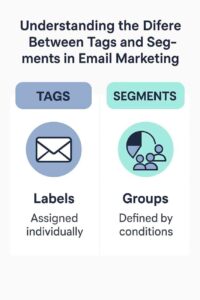
- Segmentation: For advanced testing, target specific groups (e.g., new subscribers vs. engaged users).
Students with small lists (e.g., 200 subscribers) can still test effectively by splitting evenly (e.g., 100 per version).
4. Create Email Variations
Design two versions of the email, differing only in the tested variable. Use your email platform’s editor to:
- Duplicate the original email.
- Modify the chosen element (e.g., change the subject line).
- Ensure all other elements (content, design, timing) remain identical.
For example, a student might create two newsletters identical except for the CTA button color (blue vs. green).
5. Send and Monitor
Send the variations simultaneously (or at the same time on different days for send-time tests) to minimize external variables like time of day. Track performance using:
- Email Platform Analytics: Mailchimp or MailerLite provide open rates, CTRs, and conversions.
- Key Metrics: Focus on the metric tied to your goal (e.g., open rate for subject line tests).
- Test Duration: Allow 24–48 hours for results, depending on list size and response time.
6. Analyze Results
Compare the performance of Version A and Version B to determine the winner. Use statistical significance (most platforms calculate this) to ensure results are reliable:
- Example: If Version A’s subject line has a 25% open rate and Version B has 30% with 95% confidence, Version B wins.
- Action: Send the winning version to the remaining list or apply insights to future emails.
7. Iterate and Scale
Use test results to inform future campaigns, then test new variables. Continuous testing builds a data-driven email strategy, improving performance over time.
Benefits of A/B Split Tests
- Data-Driven Decisions: Removes guesswork, letting data guide optimizations.
- Improved Performance: Boosts open rates by 10–20% and CTRs by 15–25% (Mailchimp, 2024).
- Higher ROI: Optimizes conversions, maximizing email marketing’s $36-per-$1 ROI (Litmus, 2024).
- Audience Insights: Reveals subscriber preferences (e.g., personalized subject lines work better).
- Cost-Effective: Free plans like MailerLite support A/B testing, ideal for students.
- Scalable Learning: Insights from small tests apply to larger campaigns, saving time.
Challenges for Students
- Small Lists: Limited subscribers (e.g., <200) reduce statistical significance. Test with smaller segments or focus on high-impact variables like subject lines.
- Time Constraints: Academic demands limit testing time. Automate tests and batch content creation.
- Technical Knowledge: Understanding analytics or setup can be daunting. Use platform tutorials or focus on simple tests.
- Data Interpretation: Beginners may struggle with metrics. Start with open rates and CTRs, using platform dashboards.
- Resource Limits: Free plans may cap test frequency or features. Prioritize key campaigns.
Best Practices for A/B Split Testing
- Test One Variable: Isolate changes for clear insights.
- Set Clear Goals: Align tests with objectives (e.g., open rates for awareness).
- Use Sufficient Sample Size: Ensure enough subscribers per version (e.g., 50–100 for small lists).
- Test Regularly: Run tests monthly to refine strategies.
- Leverage Free Tools: Mailchimp’s free plan supports A/B testing for up to 500 subscribers.
- Monitor Metrics: Track open rates (20–30%), CTRs (5–10%), and conversions (2–5%).
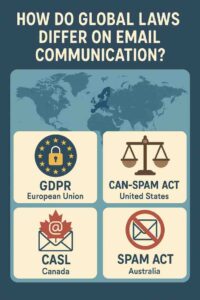
- Ensure Compliance: Use double opt-in and include unsubscribe links to comply with GDPR, CAN-SPAM, and CASL.
Example of A/B Split Testing in Email Marketing
Scenario:
Ava, a junior business student, runs a blog, “StudySmart,” sharing productivity tips for college students. She uses MailerLite’s free plan to send weekly newsletters and promote a $20 digital product, “Ultimate Study Planner.” Ava wants to increase open rates for her newsletter to drive blog traffic. She conducts an A/B test on subject lines to optimize performance.
Implementation:
- Audience and Goals:
- Audience: College students seeking study tips.
- Goals: Increase open rates to 25% (from 20%), drive 15% more blog traffic, achieve 5% conversion rate for planner sales.
- Test Setup:
- Variable: Subject line.
- Version A: “5 Productivity Hacks for Students”
- Version B: “[Name], Boost Your Grades with These Hacks”
- Goal: Higher open rate.
- Audience Split: 20% of her 500-subscriber list (100 per version), with the winner sent to the remaining 60% (300 subscribers).
- Timing: June 24, 2025, 10 AM IST (optimized for opens).
- Email Content (Identical for Both Versions):
- Body (200 words):
Hi [Name],
Finals season is brutal, but I’ve got your back! I used to struggle with procrastination until I found these productivity hacks that transformed my study game. My latest blog post shares 5 tips to help you study smarter, not harder.
[Read Now]
Quick preview:- Plan your week in 10 minutes.
- Use the Pomodoro technique for focus.
- Organize notes with one simple tool.
Want to take it further? My Ultimate Study Planner has helped me ace exams, and it can help you too. Grab it now for just $20!
[Get Your Planner]
Got a study tip to share? Reply—I’d love to hear it!
Cheers,
Ava
Update preferences [here] or [unsubscribe].
Footer: StudySmart, 456 Campus Rd, Study City, SC 78901, ava@studysmart.com
- Features: Personalized greeting, educational content, clear CTAs (blog link primary, planner purchase secondary), mobile-friendly design.
- Body (200 words):
- Technical Setup:
- Ava uses MailerLite’s A/B testing feature to create two versions, differing only in subject line.
- She configures SPF and DKIM for deliverability and tests emails across Gmail and Outlook.
- The test runs for 24 hours, with MailerLite automatically sending the winning version to the remaining 300 subscribers.
- Results:
- Version A (“5 Productivity Hacks for Students”): 22% open rate (22/100 subscribers).
- Version B (“[Name], Boost Your Grades with These Hacks”): 30% open rate (30/100 subscribers).
- Winner: Version B, with statistical significance (95% confidence per MailerLite).
- Action: Version B is sent to the remaining 300 subscribers, achieving a 28% overall open rate and 10% CTR, driving 20% more blog traffic.
- Conversions: 6% of subscribers (30) purchase the planner, generating $600.
- Follow-Up:
- Ava applies the winning personalized subject line format to future newsletters, boosting opens by 8% on average.
- She plans to test CTA wording next (e.g., “Get Your Planner” vs. “Start Planning Now”).
Outcome:
- The test increases open rates from 20% to 28%, exceeding Ava’s goal.
- Blog traffic rises by 20%, and planner sales yield $600, surpassing the 5% conversion target.
- Zero spam complaints and a 0.2% unsubscribe rate reflect high engagement.
- Ava schedules monthly A/B tests to optimize CTAs and send times, building a data-driven strategy.
Conclusion
A/B split testing is a critical tool for optimizing email campaigns, enabling students to make data-driven improvements to open rates, click-through rates, and conversions. By testing one variable at a time, segmenting audiences, and analyzing results, students can refine their emails with minimal resources. Despite challenges like small lists or time constraints, free tools and focused testing make it accessible. Ava’s example shows how a student can use A/B testing to boost newsletter performance, driving traffic and sales. As email marketing evolves, A/B testing remains essential for maximizing engagement and achieving goals efficiently.