Email marketing remains a cornerstone of digital communication, offering businesses, creators, and individuals a direct and cost-effective way to engage with their audience. However, in an era of information overload, generic emails often fail to capture attention or drive action. This is where email personalization comes into play. Email personalization involves tailoring email content to individual subscribers based on their data, preferences, behaviors, or interactions, making messages more relevant and engaging. For students, small business owners, or creators with limited resources, personalization is a powerful strategy to stand out, foster connections, and achieve campaign goals. This essay explores the concept of email personalization, how it works, its benefits, challenges, best practices, and provides a practical example to illustrate its application.
What is Email Personalization?
Email personalization is the process of customizing email content to align with the unique characteristics, interests, or behaviors of individual subscribers. Unlike mass email blasts that deliver the same message to everyone, personalized emails use data to create a tailored experience, making recipients feel valued and understood. Personalization can range from simple tactics, like including a subscriber’s name in the subject line, to advanced strategies, such as recommending products based on past purchases or sending emails triggered by specific actions.
Personalization leverages data collected from subscribers, such as:
- Demographic Data: Name, age, location, or occupation.
- Behavioral Data: Website visits, purchase history, email opens, or link clicks.
- Preference Data: Interests or content types selected during signup.
- Lifecycle Data: Stage in the customer journey (e.g., new subscriber, loyal customer).
By integrating this data into email campaigns, marketers can deliver content that resonates, increasing engagement and conversions. For example, a student blogger might send a personalized email with study tips tailored to a subscriber’s major, while an e-commerce brand might recommend products based on a customer’s browsing history.
How Does Email Personalization Work?
Email personalization relies on a combination of data collection, segmentation, automation, and email marketing platforms. Below is a step-by-step explanation of how it works:
1. Data Collection
Personalization begins with gathering relevant data about subscribers. Common methods include:
- Signup Forms: Collect basic information like name, email, and preferences (e.g., “What topics interest you?”). For example, a student might ask subscribers to select “coding” or “design” as interests.
- Website Tracking: Use cookies or pixels to track user behavior, such as pages visited or items added to a cart. Tools like Google Analytics or email platforms like Mailchimp integrate this data.
- Purchase or Interaction History: Record past purchases, email opens, or link clicks to understand subscriber behavior.
- Surveys or Quizzes: Ask subscribers to share preferences or goals (e.g., “What’s your biggest career challenge?”) to refine personalization.
- CRM Integration: Sync data from Customer Relationship Management (CRM) systems to include details like purchase frequency or customer status.
For compliance with regulations like GDPR, CAN-SPAM, and CASL, data collection must be transparent, with explicit consent obtained via double opt-in or clear privacy statements.
2. Segmentation
Segmentation divides the email list into smaller groups based on shared characteristics or behaviors. This ensures personalized content is sent to the right audience. Common segments include:
- Demographic: Age, gender, location (e.g., “students in California”).
- Behavioral: Engaged subscribers, inactive users, or recent purchasers.
- Interest-Based: Topics selected during signup (e.g., “Python learners” vs. “data science enthusiasts”).
- Lifecycle Stage: New subscribers, active users, or lapsed customers.
For example, a student running a blog might segment subscribers into “new subscribers” for a welcome series and “engaged readers” for weekly newsletters.
3. Dynamic Content
Dynamic content allows emails to display different elements based on subscriber data. Most email marketing platforms (e.g., Mailchimp, ConvertKit, Klaviyo) support dynamic fields or content blocks. Examples include:
- Personalized Fields: Inserting the subscriber’s name (e.g., “Hi [Name]”).
- Tailored Recommendations: Showing products or content based on past behavior (e.g., “Since you liked our Python tutorial…”).
- Location-Based Content: Adjusting offers by geography (e.g., “Events near [City]”).
- Conditional Content: Displaying different images or text based on segments (e.g., a discount for frequent buyers vs. a guide for new subscribers).
Dynamic content is coded into email templates using placeholders (e.g., {{FirstName}}) that pull data from the subscriber database.
4. Automation
Automation enables personalized emails to be sent at scale, triggered by specific actions or schedules. Common automated workflows include:
- Welcome Series: A sequence of emails for new subscribers, personalized with their name and interests.
- Abandoned Cart Emails: Sent to users who leave items in their cart, recommending those products.
- Behavioral Triggers: Emails triggered by actions like website visits, link clicks, or birthdays.
- Drip Campaigns: A series of emails nurturing leads over time, tailored to their lifecycle stage.
Automation platforms like MailerLite or ConvertKit use rules (e.g., “If subscriber clicks link X, send email Y”) to deliver personalized content at the right moment.
5. Testing and Optimization
To ensure personalization is effective, marketers test and refine their approach:
- A/B Testing: Compare personalized subject lines (e.g., “[Name], Your Study Guide” vs. “Your Study Guide”) or content variations to identify what drives higher engagement.
- Analytics: Track metrics like open rates (target: 20-30%), click-through rates (target: 5-10%), and conversions (target: 2-5%) to measure personalization impact.
- Feedback: Use surveys or preference centers to update subscriber data and refine personalization.
Benefits of Email Personalization
Personalization significantly enhances email marketing performance. Key benefits include:
- Increased Engagement: Personalized emails have a 26% higher open rate and 14% higher click-through rate, per Campaign Monitor. Relevant content encourages subscribers to interact.
- Higher Conversions: Tailored CTAs and offers drive actions, with personalized emails boosting conversions by 10%, per HubSpot.
- Improved Retention: By addressing subscriber needs, personalization reduces unsubscribe rates (target: <0.5%) and fosters loyalty.
- Enhanced Deliverability: Relevant emails are less likely to be marked as spam, maintaining a low complaint rate (<0.1%) and strong sender reputation.
- Better ROI: Personalized campaigns yield higher returns, with email marketing averaging $36 per $1 spent (Litmus, 2024).
- Trust and Connection: Addressing subscribers by name or referencing their interests builds rapport, making them feel valued.
Challenges of Email Personalization
While powerful, personalization presents challenges, especially for students or beginners:
- Data Quality: Inaccurate or incomplete data (e.g., wrong names) can lead to errors, like addressing “John” as “Jane,” undermining trust.
- Time and Effort: Setting up segments, automation, and dynamic content requires initial investment, which can be daunting for busy students.
- Technical Complexity: Advanced personalization (e.g., behavioral triggers) may require coding knowledge or premium platform features.
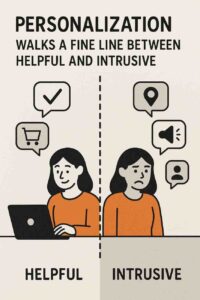
- Privacy Concerns: Over-personalization (e.g., referencing specific purchases) can feel intrusive if not handled transparently. Compliance with GDPR, CAN-SPAM, and CASL is critical.
- Resource Constraints: Free plans (e.g., Mailchimp’s 500-subscriber limit) may restrict advanced personalization features like dynamic content.
Best Practices for Email Personalization
To maximize impact, students should follow these best practices:
- Start Simple: Begin with basic personalization, like using first names or segmenting by interest.
- Collect Relevant Data: Use signup forms, surveys, or tracking to gather actionable data, ensuring consent via double opt-in.
- Segment Strategically: Create segments based on behavior, interests, or lifecycle stage for targeted content.
- Use Dynamic Content Sparingly: Focus on meaningful personalization (e.g., tailored recommendations) rather than overusing fields.
- Test and Refine: A/B test personalized elements and monitor metrics to optimize performance.
- Ensure Compliance: Include privacy statements, unsubscribe links, and a physical address to meet regulatory requirements.
- Leverage Free Tools: Platforms like MailerLite or ConvertKit offer personalization features on free plans, ideal for students.
Example of Email Personalization in Action
Scenario:
Liam, a junior computer science student, runs a blog, “TechBit,” sharing coding tutorials for beginners. He wants to grow his email list to drive blog traffic and promote affiliate coding courses. Using ConvertKit’s free plan (up to 10,000 subscribers), Liam implements personalization to engage his audience of students and aspiring developers.
Implementation:
- Audience and Goals:
- Audience: College students, career switchers, and coding beginners.
- Goals: Increase blog traffic, boost affiliate conversions, and maintain engagement.
- Data Collection:
- Signup Form: Liam’s blog features a form with the headline: “Join TechBit for Weekly Coding Tips!” It collects name, email, and interest (e.g., “Python,” “JavaScript,” “Web Development”).
- Double Opt-In: Ensures consent, with a confirmation email: “Confirm Your TechBit Subscription!”
- Behavioral Tracking: ConvertKit tracks which blog posts subscribers visit and which links they click.
- Survey: Liam sends a survey after 30 days asking, “What’s your coding goal?” to refine segments.
- Segmentation:
- New Subscribers: Receive a welcome series.
- Interest-Based: Tagged as “Python,” “JavaScript,” or “Web Development” based on signup form.
- Engaged Subscribers: High open/click rates, receive weekly newsletters.
- Inactive Subscribers: No opens for 60 days, receive re-engagement emails.
- Personalized Emails:
- Welcome Series (3 emails over 10 days):
- Email 1 (Immediate):
- Subject: “[Name], Your Free Python Cheat Sheet Awaits!”
- Body: “Hi [Name], I’m Liam, a student coder like you. Thanks for joining TechBit! Since you chose [Interest], here’s your free Python Cheat Sheet to kickstart your journey. [Download Now] Expect weekly tips every Tuesday. Reply with your biggest coding challenge—I’d love to help!”
- Personalization: Uses first name and selected interest.
- Email 2 (Day 5):
- Subject: “[Name], Loved [Blog Post]? Try This!”
- Body: References a blog post they viewed (e.g., “Since you checked out my Python Loops tutorial, here’s a bonus tip…”), with a CTA to watch a related YouTube video.
- Personalization: Dynamic content based on tracked blog visits.
- Email 3 (Day 10):
- Subject: “Ready to Level Up, [Name]?”
- Body: Promotes an affiliate Python course: “Since you’re into [Interest], this course helped me master coding fast. Check it out! [Learn More]”
- Personalization: Tailored course recommendation by interest.
- Email 1 (Immediate):
- Weekly Newsletter:
- Subject: “[Name], This [Interest] Tip Rocks!”
- Body: “Hey [Name], here’s your weekly [Interest] tip: [specific tip, e.g., ‘Use list comprehensions for cleaner Python code’]. Watch my latest video for more! [Watch Now] Reply with your coding questions—I’m here to help.”
- Personalization: Name, interest-based tip, and video tailored to segment.
- Re-Engagement Email:
- Subject: “[Name], Miss Our Coding Tips?”
- Body: “Hi [Name], it’s been a while! Since you showed interest in [Interest], here’s a new guide: ‘Top 5 Coding Mistakes to Avoid.’ [Download Now] Want fewer emails? Update preferences [here] or [unsubscribe].”
- Personalization: Name, interest, and preference center link.
- Welcome Series (3 emails over 10 days):
- Technical Setup:
- Liam uses ConvertKit’s tag-based system to manage segments and dynamic content (e.g., {{FirstName}}, {{Interest}}).
- He configures SPF and DKIM for deliverability and tests emails across Gmail and Outlook.
- Automation triggers welcome series and re-engagement emails based on subscriber actions.
- Monitoring and Optimization:
- Liam tracks open rates (target: 25%), click-through rates (target: 8%), and conversions (target: 3%) via ConvertKit’s analytics.
- A/B tests subject lines (e.g., “[Name], Python Tip” vs. “Python Hack for [Name]”), boosting opens by 10%.
- Conversion rate for affiliate links reaches 4%, generating $200 in commissions over two months.
Outcome:
- Liam grows his list to 500 subscribers, with a 30% open rate and 10% click-through rate.
- The welcome series achieves a 40% open rate and 15% CTR, driving 25% more blog traffic.
- Personalized course recommendations convert 20 subscribers into course signups, earning $200.
- Zero spam complaints and a 0.3% unsubscribe rate reflect high engagement and compliance.
Conclusion
Email personalization transforms generic campaigns into tailored experiences, leveraging data, segmentation, and automation to deliver relevant content. By addressing subscribers’ unique needs, it boosts engagement, conversions, and retention while ensuring compliance and deliverability. Despite challenges like data quality or technical complexity, students can use free tools like ConvertKit to implement effective personalization. Liam’s example demonstrates how a student can apply personalization to grow an engaged audience and achieve monetization goals. As email marketing evolves, personalization will remain a critical strategy for building meaningful connections and maximizing campaign success.