In the digital age, privacy is a growing concern—especially on social media platforms like Facebook, where people share personal information, photos, opinions, and even real-time locations. While Facebook connects users with friends, family, and communities, it also opens doors to potential risks if privacy is not properly managed. That’s why understanding and using Facebook’s privacy settings is crucial for maintaining control over personal information and protecting users from unwanted exposure, data breaches, or online harassment.
This essay explores the most common privacy settings available on Facebook, why they are important, and provides an example to illustrate how these settings work in real-life situations.
1. Privacy Settings and Tools Overview
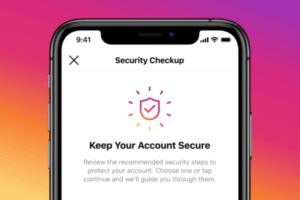
Facebook’s privacy settings allow users to customize who can see their posts, profile information, friend list, and more. These settings are typically found under the “Settings & Privacy” section, specifically in “Privacy Checkup” or the Privacy Shortcuts menu.
The main goals of these settings are:
- To protect personal data from strangers or unwanted parties
- To control who sees what content
- To minimize risks like identity theft, cyberbullying, and misinformation
By setting boundaries, users gain agency over their digital presence, ensuring that Facebook remains a safe and enjoyable platform.
2. Common Facebook Privacy Settings
Below are some of the most widely used privacy settings on Facebook:
A. Who Can See Your Future Posts
This setting lets users decide who sees new content they post—such as status updates, photos, or shared links.
Options include:
- Public (anyone on or off Facebook)
- Friends
- Friends except… (to exclude specific people)
- Only me
- Custom (you can include or exclude specific people or lists)
Why it matters: This prevents private thoughts, family pictures, or sensitive opinions from being seen by employers, strangers, or people who could misuse them.
B. Review Posts You’re Tagged In
Facebook allows others to tag users in posts or photos. This setting gives users control over whether a tagged post appears on their profile.
Users can:
- Review each tag manually before it shows on their timeline
- Allow automatic tagging (less secure)
- Block certain tags from being visible at all
Why it matters: Someone else may tag a user in a compromising photo or irrelevant content. With this feature, users can prevent unwanted posts from appearing on their profile.
C. Who Can See Your Friends List
This setting allows users to control who can view their friend list.
Options include:
- Public
- Friends
- Only me
- Custom
Why it matters: Scammers may try to collect information or pose as someone’s friend by looking through their connections. Limiting friend list visibility reduces the chances of impersonation or fraud.
D. Profile and Cover Photo Privacy
While cover photos are public by default, users can control the visibility of their profile photos and all other uploaded images.
Settings include:
- Who can see the photo
- Who can comment or like the photo
- Who can download or share it
Why it matters: Profile photos are often used to verify identity, but they can also be misused for fake profiles or image theft. Privacy settings help protect users from such risks.
E. Who Can Look You Up Using Your Email Address or Phone Number
Facebook allows people to search for users by their email or phone number—but this can be restricted.
Settings options:
- Everyone
- Friends of friends
- Friends
- Only me
Why it matters: Limiting this helps prevent spam, stalking, or harassment, especially when users share their contact info in other places.
F. Search Engine Visibility Outside Facebook
This setting determines whether a user’s Facebook profile can be found through search engines like Google.
Users can:
- Allow or disallow search engine indexing of their profile
Why it matters: Disabling this option increases privacy, especially for users who want to keep a low public profile, such as teachers, minors, or individuals dealing with harassment.
G. Blocking and Restricted Lists
Facebook allows users to:
- Block specific users (they won’t be able to see your profile or contact you)
- Add users to a Restricted list (they stay friends, but only see public posts)
Why it matters: These tools are crucial for avoiding conflicts, managing professional relationships, or dealing with online threats.
H. Location Settings
Facebook can use your device’s GPS to track and share your location, especially through features like check-ins, events, or location-based ads.
Users can:
- Disable location tracking completely
- Choose not to share live location in Messenger
- Manage settings in their mobile device’s app permissions
Why it matters: Sharing your location can pose a safety risk, particularly for children, women, or people in vulnerable situations.
I. Activity Log and Timeline Review
The Activity Log lets users review every action they’ve taken on Facebook, from posts to likes, comments, and shares.
Timeline Review enables users to:
- Approve or hide posts from their timeline
- Review tags before they go live
Why it matters: This allows users to curate their online identity and remove anything outdated, inappropriate, or embarrassing.
3. Importance of Facebook Privacy Settings
Understanding and using privacy settings is not just a matter of preference—it’s essential for digital well-being and personal security.
A. Protection from Scams and Fraud
Cybercriminals often use publicly available information to:
- Impersonate users
- Steal identity
- Target users with scams
By limiting profile access and hiding contact info, users significantly reduce these risks.
B. Online Reputation Management
Everything posted online contributes to a user’s digital footprint. Employers, schools, or clients may look up individuals on Facebook. One inappropriate post or public comment can hurt a career or relationship.
Privacy settings allow users to:
- Control what appears on their profile
- Prevent others from tagging them in problematic content
- Ensure that private moments stay private
C. Emotional and Mental Well-being
Too much exposure on social media can lead to:
- Anxiety from unwanted attention
- Harassment or cyberbullying
- Pressure to share more than one is comfortable with
Privacy controls help create a safe space where users feel comfortable engaging without fear.
D. Protecting Vulnerable Users
Children, teens, and public figures are particularly vulnerable to online exploitation or abuse. With privacy settings, guardians or individuals can:
- Prevent strangers from contacting them
- Block or report abusers
- Minimize exposure to harmful content
4. Real-World Example: Student Using Facebook Privacy Wisely
Scenario:
Sarah is a university student studying psychology. She enjoys sharing her academic journey, occasional photos with friends, and articles on mental health awareness. However, she is also applying for internships and is cautious about how her social media presence might be perceived.
How she uses privacy settings:
- Sets her default post visibility to “Friends” only.
- Uses the “Review Tags” feature to control which tagged posts appear on her timeline.
- Hides her friend list and email address from the public.
- Limits visibility of older posts by selecting “Limit Past Posts”.
- Turns off search engine visibility for her profile.
- Regularly checks her Activity Log to remove outdated or unnecessary content.
As a result:
- Potential employers who view her profile see only a polished, public-facing version.
- She feels secure sharing personal moments with friends without worrying about strangers seeing them.
- Her digital identity aligns with her academic and professional goals.
Conclusion of the Example: Sarah’s careful use of privacy settings allows her to enjoy Facebook responsibly, protect her image, and avoid issues that could affect her future career.
Conclusion
Facebook’s privacy settings are essential tools for navigating the digital landscape safely. From controlling who sees your posts to managing search visibility and blocking unwanted contacts, these features help users maintain control, security, and peace of mind.
In an era where data can be misused or misinterpreted, and where online interactions can impact real-life outcomes, it is more important than ever for individuals—especially students, professionals, and vulnerable users—to understand and actively manage their privacy settings on Facebook.
Ultimately, these settings are not just about hiding information—they’re about empowering users to take charge of their digital identity and safety, ensuring that their Facebook experience is both enjoyable and secure.